

ProModel's Advanced Resource Scheduling: Mastering Shift Calendars and Downtime Modeling
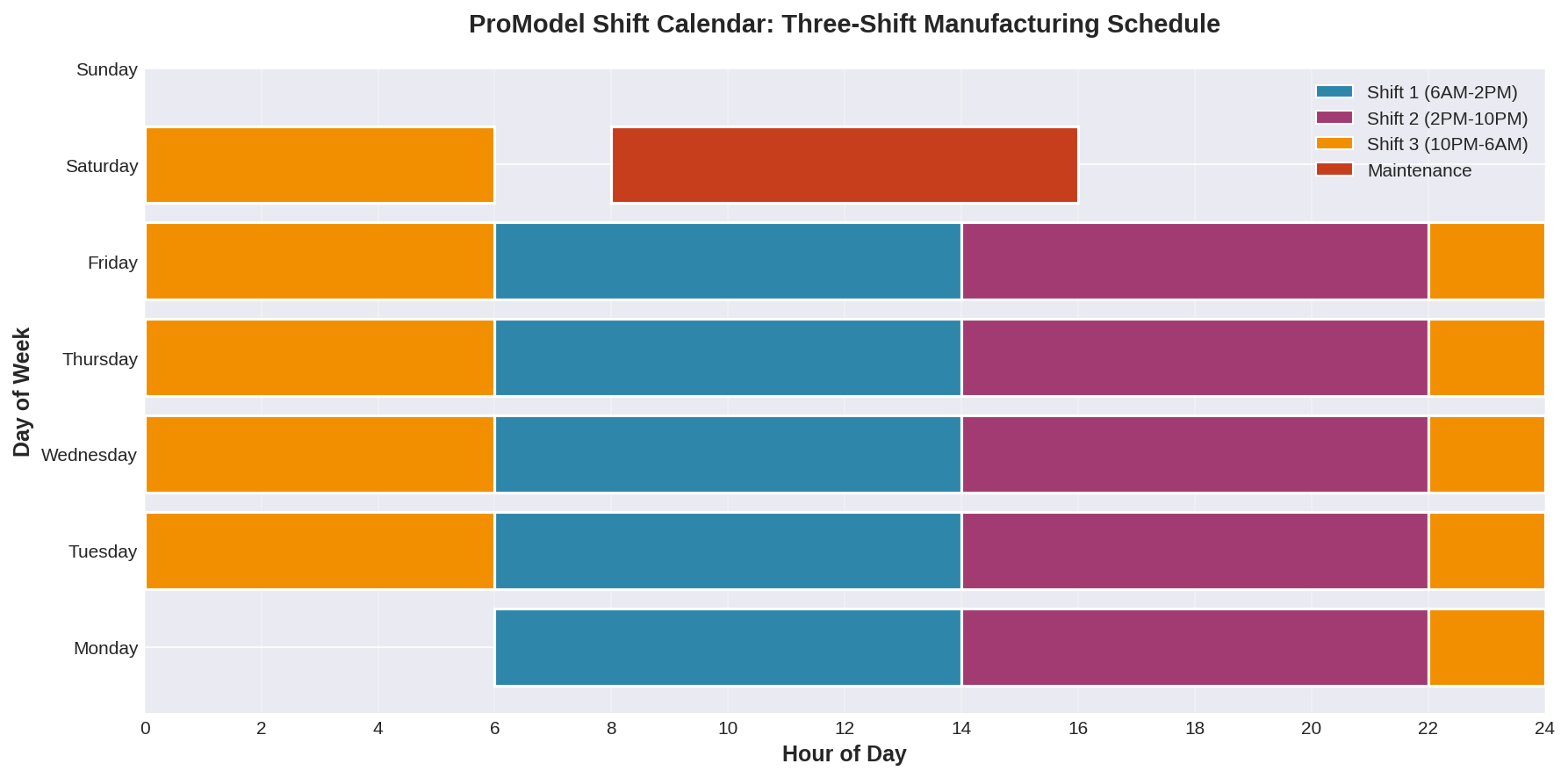
Manufacturing simulation accuracy depends critically on realistic resource availability modeling. ProModel's shift calendar and downtime features provide manufacturing engineers with sophisticated tools to capture the complex temporal patterns of real-world production environments, enabling more accurate capacity planning and throughput predictions.
Understanding Shift Calendar Architecture
ProModel's shift calendar system operates on a hierarchical structure that separates work patterns from resource assignments. Engineers define shift patterns using a calendar editor that supports multiple shifts per day, rotating schedules, and exception handling for holidays or maintenance windows. Each calendar can specify up to 10 different shift patterns, with transitions handled automatically by the simulation engine.
The calendar definition includes start times, durations, and priority levels for each shift. When multiple resources share a calendar, ProModel synchronizes their availability states, ensuring that downstream operations correctly account for upstream capacity constraints. This synchronization is particularly valuable in flow manufacturing environments where workstation dependencies create cascading effects from resource unavailability.

Implementing Scheduled and Unscheduled Downtime
ProModel distinguishes between scheduled downtime (planned maintenance, breaks, shift changes) and unscheduled downtime (equipment failures, quality holds). Scheduled downtime integrates directly with shift calendars, automatically suspending operations during defined periods. Engineers specify downtime using frequency-based or clock-based triggers, with options for preemption handling when downtime occurs mid-operation.
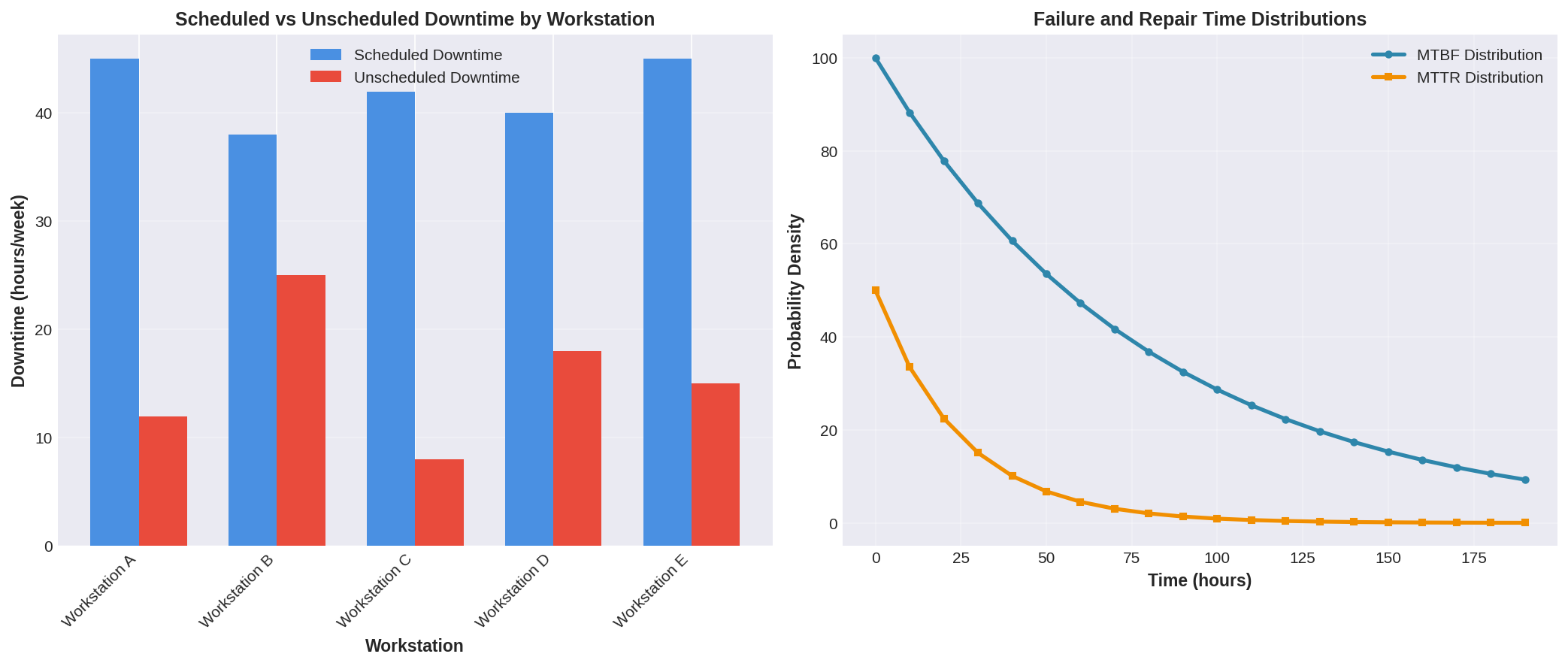
Unscheduled downtime modeling uses statistical distributions to represent failure patterns. ProModel supports time-based failures (MTBF/MTTR), usage-based failures (cycles between failures), and hybrid approaches. The downtime logic can be configured to affect individual resources or entire resource groups, with repair priorities determining which resources receive maintenance attention first when multiple failures occur simultaneously.
Advanced Techniques for Realistic Modeling
Experienced ProModel users employ several advanced techniques to enhance realism. Warm-up periods account for the fact that production systems rarely start from empty states—defining initial shift positions and resource states prevents artificial transients in output metrics. Downtime inheritance allows child resources to automatically adopt parent resource downtime patterns, reducing model complexity in hierarchical manufacturing systems.
Conditional availability rules enable resources to become unavailable based on simulation state variables. For example, a workstation might become unavailable when buffer levels exceed thresholds, representing operator reassignment to bottleneck operations. This dynamic availability modeling captures adaptive behaviors common in lean manufacturing environments.
Integration with Optimization and Experimentation
ProModel's shift calendar and downtime features integrate seamlessly with its SimRunner optimization module. Engineers can define shift patterns as decision variables, allowing the optimizer to explore different staffing configurations. The downtime statistics feed directly into bottleneck analysis, helping identify whether capacity constraints stem from insufficient resources or excessive downtime.
When conducting scenario analysis, ProModel's scenario manager allows rapid comparison of different maintenance strategies. Engineers can evaluate the impact of preventive maintenance schedules versus run-to-failure approaches, quantifying the trade-offs between scheduled downtime and unscheduled failure costs.
Best Practices for Implementation
Start with simplified shift patterns and progressively add complexity as model validation proceeds. Collect actual shift data from manufacturing execution systems (MES) or enterprise resource planning (ERP) systems to ensure calendar definitions match reality. For downtime modeling, prioritize equipment with the highest utilization or longest repair times—these resources have the greatest impact on system performance.
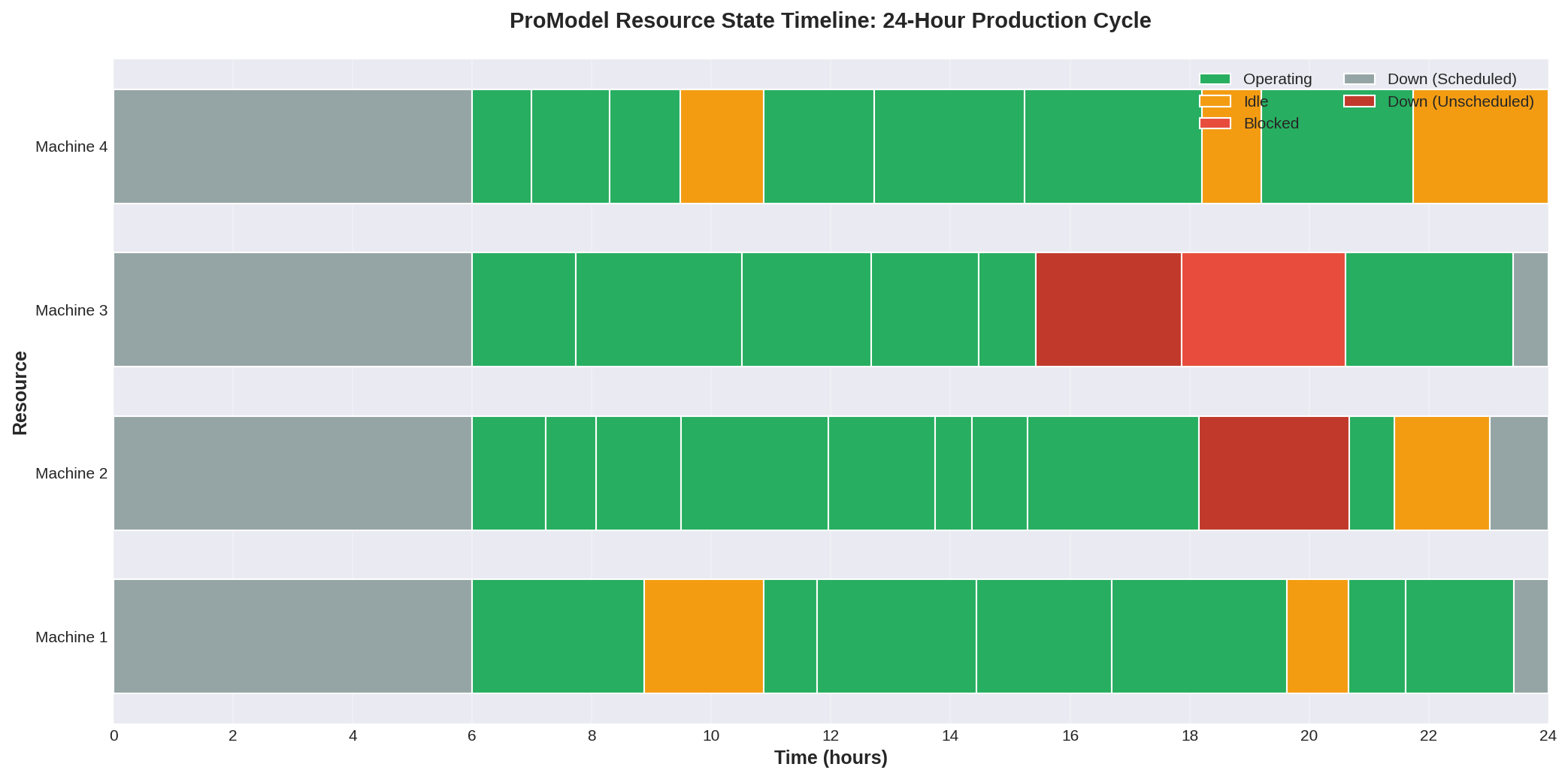
Validate downtime models by comparing simulated availability metrics against historical OEE (Overall Equipment Effectiveness) data. ProModel's output reports include detailed resource state statistics showing percentages of time in operation, idle, blocked, and down states. Discrepancies between simulated and actual availability often reveal missing downtime sources or incorrect distribution parameters.
Conclusion
ProModel's shift calendar and downtime modeling capabilities enable manufacturing engineers to build simulation models that accurately reflect the temporal complexity of real production systems. By properly configuring these features, engineers can confidently use simulation results for capacity planning, staffing decisions, and maintenance strategy optimization. The investment in detailed resource availability modeling pays dividends through improved prediction accuracy and more actionable insights.
For more information on ProModel's resource modeling capabilities, visit the ProModel Solutions website or consult the ProModel User Guide's chapter on Resources and Downtime. The ProModel community forum also provides practical examples and troubleshooting advice from experienced practitioners.