

COMSOL Multiphysics: Advanced Engineering Simulation and Multiphysics Modeling
Overview and Core Philosophy
COMSOL's core strength lies in its unparalleled ability to simulate various physics phenomena, particularly coupled phenomena, often referred to as "multiphysics." The software provides an integrated development environment (IDE) and a unified workflow that caters to a broad spectrum of engineering applications, including electrical, mechanical, fluid dynamics, acoustics, and chemical engineering.
This holistic approach allows users to delve deep into complex systems where multiple physical processes interact, offering a more accurate and comprehensive understanding crucial for informed design decisions and system optimization. COMSOL Multiphysics is built upon advanced numerical methods, primarily finite element analysis, to approximate solutions to complex differential equations that describe physical phenomena.
Key Features and Capabilities
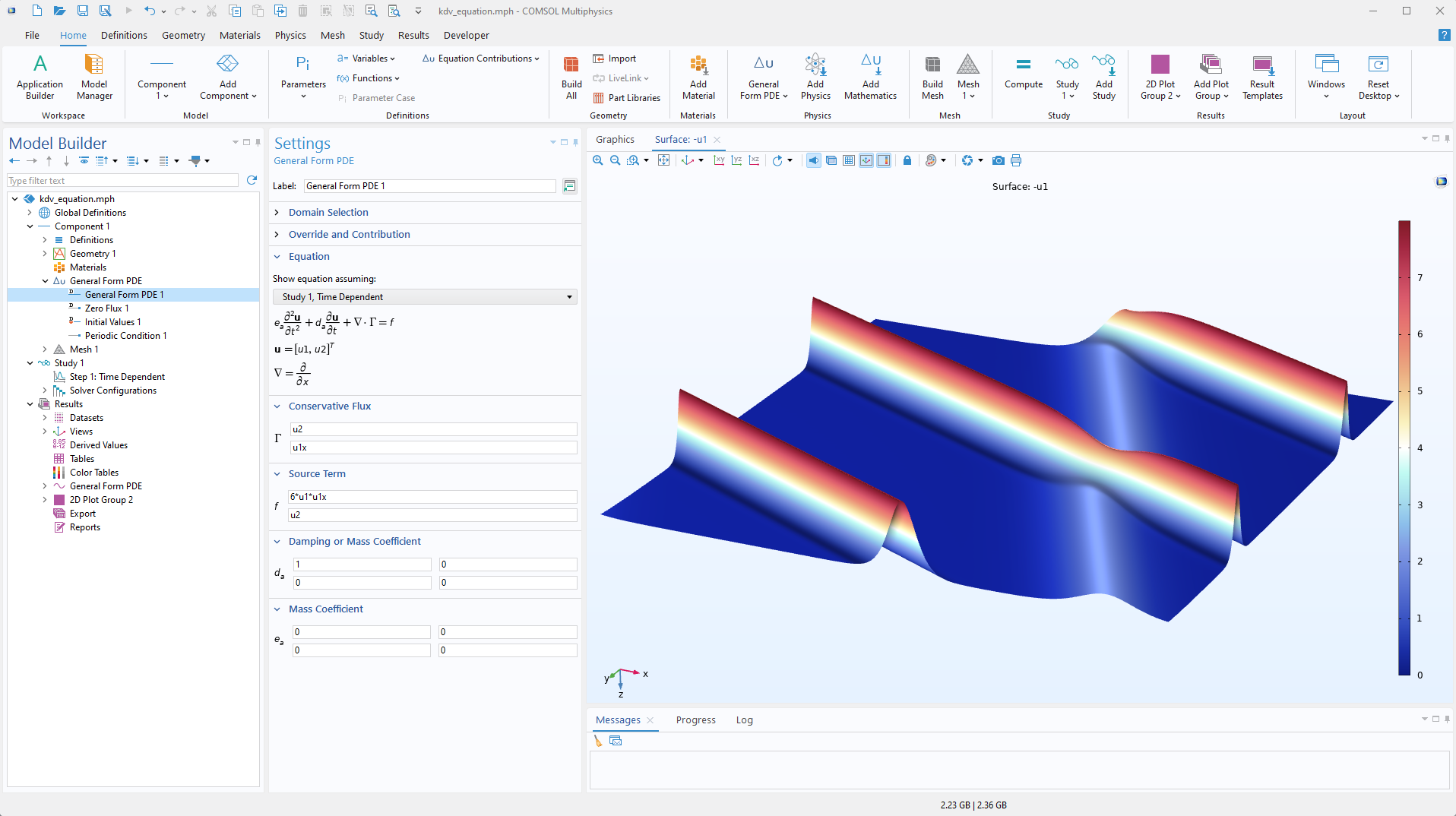
The Model Builder: Core Simulation Environment
The Model Builder is the central hub within COMSOL Multiphysics, guiding users through every step of the modeling workflow, from initial setup to result evaluation.

Geometry Creation: Users can either construct intricate geometries from scratch using COMSOL's integrated tools or seamlessly import existing designs from external computer-aided design (CAD) software. This flexibility is crucial for accurately representing the physical space of the problem, whether it's a simple 2D shape or a complex 3D structure.
Physics Selection: COMSOL offers an extensive range of physics interfaces, allowing users to select the appropriate modules for their specific problem. These include Heat Transfer, Structural Mechanics, Electromagnetics, Fluid Flow, Acoustics, and Chemical Engineering. The software's design allows for the combination of multiple physics interfaces, enabling true multiphysics simulations.
Material Properties: The software comes equipped with an extensive built-in material library, encompassing properties for metals, plastics, biological tissues, fluids, and more. Users also have the flexibility to define and input custom material properties, ensuring accuracy for specialized applications.
Boundary Conditions: Accurately defining boundary conditions is paramount for ensuring that the model behaves correctly under simulation. These conditions specify how the system interacts with its surroundings, such as applied loads, temperatures, or fluid inlets/outlets.
Meshing: Meshing is the process of discretizing the model's geometry into finite elements, which are essential for numerical calculations. COMSOL provides both automatic meshing capabilities and tools for manual refinement, offering greater control over mesh density in critical regions. While finer meshes generally yield more accurate results, they come at the cost of increased computational power and memory usage.
Solver Settings: COMSOL's solvers are capable of handling both linear and nonlinear equations, offering various settings to optimize computation time and resources. Users can choose from time-dependent, frequency-dependent, and stationary solvers to cater to different simulation needs.
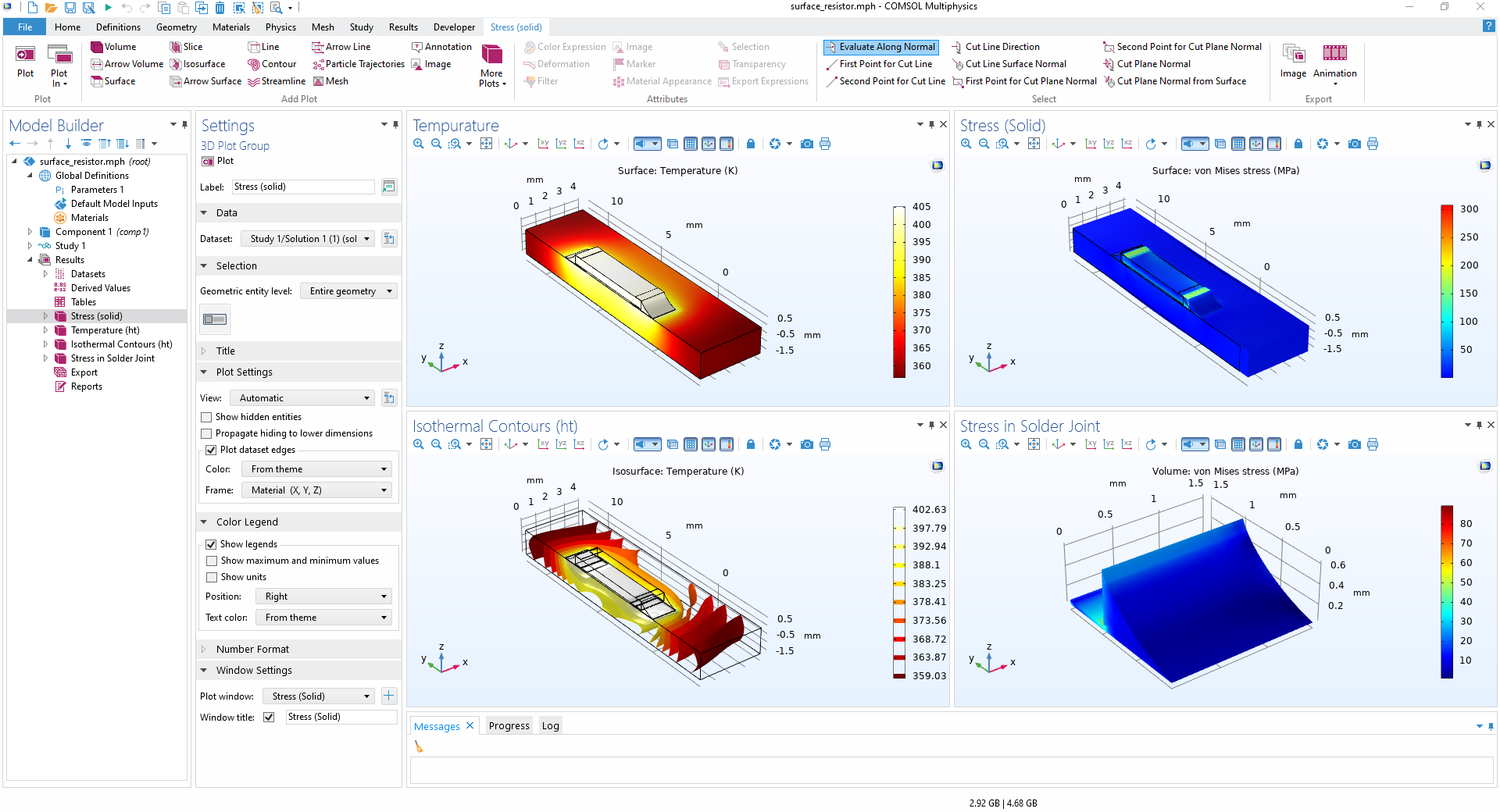
Post-Processing: After computation, COMSOL offers a comprehensive suite of post-processing tools for interpreting and communicating simulation results. These include visualization options like plots, animations to show time-dependent behavior, and tabular data analysis.
Multiphysics Coupling: Simulating Interacting Phenomena
One of COMSOL's most distinguishing and powerful features is its inherent capability to simulate multiphysics phenomena, where multiple physical processes are intertwined and interact with each other.
Full Mathematical Model Generation: Unlike some CAE software that couples equations after discretization, COMSOL generates a full mathematical model on the fly based on user input before discretization. This approach allows for greater flexibility in adding phenomena, variables, and multiphysics couplings directly within the user interface.
Interdisciplinary Interactions: COMSOL enables the simulation of complex interactions such as thermal stresses in a turbine blade, electromagnetic effects in a nerve cell, or fluid-structure interaction (FSI) where fluid flow deforms solid structures. The software provides predefined multiphysics couplings, but also allows for customization to reflect specific project nuances.
Complex Coupled Problems: COMSOL excels in scenarios where simplification of physics is not feasible. Examples include fully coupled problems incorporating evaporation, heat transfer, mass transfer, momentum transport, plastic deformation, and pressure buildup, demonstrating COMSOL's ability to handle highly intertwined physical phenomena.
Application Builder: Democratizing Simulation
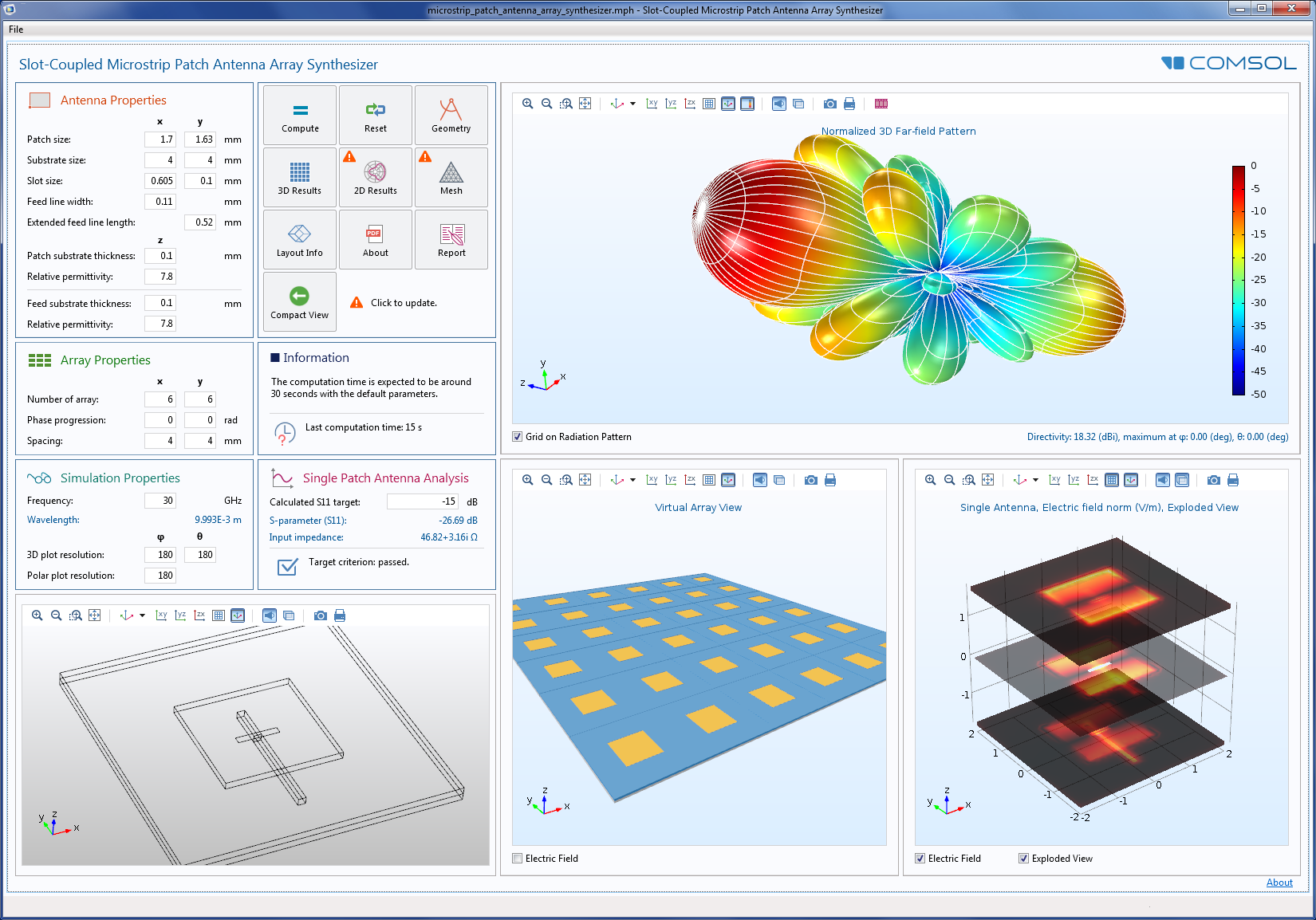
The Application Builder is a revolutionary feature that empowers users to create custom, user-friendly simulation applications (apps) based on their COMSOL models.
Custom User Interfaces: It allows engineers and researchers to design intuitive interfaces for their simulations, making complex models accessible to colleagues or clients who may not have extensive COMSOL experience. This democratizes simulation access, enabling non-experts to run complex simulations with just a few clicks.
Enhanced Interactivity: The Application Builder allows users to define custom actions when a user clicks on a plot or graphical object within the app, increasing interactivity and user engagement.
Real-world Examples: Companies have leveraged the Application Builder to create apps for assessing noise, vibration, and harshness (NVH) in engines, and capacitor suppliers have housed simulation apps on COMSOL Server, allowing manufacturing engineers to contribute to product design optimization.
Simulation App Deployment
To facilitate the distribution and use of custom applications, COMSOL offers dedicated deployment tools:
COMSOL Compiler™: This tool allows users to compile their simulation apps into standalone executable files for Windows, macOS, and Linux. These compiled apps can then be run by anyone, anywhere, without requiring a COMSOL Multiphysics installation.
COMSOL Server™: For organizations, COMSOL Server provides a platform to manage and distribute simulation apps centrally. Users can then run these apps via a web browser or a thin client, enabling widespread access within an organization.
Integration with Other Software (LiveLink™ Products)
COMSOL Multiphysics is designed for seamless integration with other key software tools:
LiveLink™ for MATLAB®: This feature allows users to script and automate COMSOL simulations directly within MATLAB. This is particularly useful for advanced parameter sweeps, complex data processing, and integrating COMSOL models into larger computational workflows.
CAD and Other Software Integration: COMSOL offers LiveLink™ products for direct interfacing with various CAD software and other tools like Excel® and Simulink®. This facilitates importing geometries and exchanging data, streamlining the design and simulation process.
Optimization and Parametric Studies
COMSOL provides powerful tools for exploring design spaces and understanding system behavior:
Parametric Sweep Feature: This built-in feature allows users to easily vary parameters and automate multiple simulation runs. This is invaluable for design optimization, sensitivity analysis, and performance testing.
Optimization Module: COMSOL offers an Optimization Module that enables users to find optimal designs based on defined objectives and constraints, further enhancing the design process.
Applications Across Industries
COMSOL Multiphysics is widely used across diverse industries and scientific research fields due to its versatility and ability to handle complex, coupled phenomena.
Aerospace Engineering
Used to simulate the behavior of aircraft, spacecraft, and missiles, including heat transfer, fluid dynamics, and structural mechanics, leading to improved performance and reduced emissions.
Automotive Engineering
Applied to simulate vehicle behavior, including heat transfer, fluid dynamics, and structural mechanics, to optimize performance, reduce emissions, and enhance designs. Examples include optimizing electric vehicle motors and driving EV development with twin-battery approaches.
Energy Engineering
Utilized for simulating energy systems such as solar panels, wind turbines, and fuel cells to optimize performance and reduce costs. Companies use COMSOL to further hydrogen fuel cell development with generative design.
Biomedical Engineering
Employed to simulate biological systems, including blood flow, heat transfer, and mass transport, aiding in the development of new medical devices and treatments. Examples include modeling acoustic response of smart speakers for hearing aid technology and simulating biological systems for personalized oncology care.
Chemical Engineering
Used for chemical reaction engineering, electrochemistry, electrodeposition, fuel cells, and electrolyzers, enabling optimization of chemical processes and reactor design.
Electrical Engineering
Applications include AC/DC, electric discharge, MEMS, plasma, ray optics, RF, and semiconductor device simulations. Examples include optimizing instrument transformers and sensors for the power grid.
Structural Mechanics & Acoustics
Used for structural mechanics, acoustics, composite materials, fatigue, geomechanics, multibody dynamics, nonlinear structural materials, and rotordynamics. Examples include simulating vibration and noise in gearboxes and optimizing loudspeaker designs.
Environmental Science
Applications include designing next-generation carbon dioxide removal technology and forecasting fruit freshness with simulation apps.
Best Practices for Effective COMSOL Usage
Define Clear Simulation Objectives
Before starting, clearly articulate the goals of the simulation and ensure a thorough understanding of the physical phenomena being investigated. This guides the model setup and ensures relevant results are obtained.
Master the Interface and Workflow
Familiarize yourself with the COMSOL interface, understanding how modules, study types, and solver configurations interact. The Model Builder provides a step-by-step guide through the entire simulation process.
Appropriate Meshing and Solver Settings
Meshing: Select the right mesh type and density for the application. Balance mesh density with computational practicality; finer meshes are crucial for detailed phenomena but increase computational cost. Consider simplifying geometry or using coarser meshes in non-critical regions for large-scale models.
Solver Settings: Choose the correct solver type and fine-tune settings like tolerances or algorithms to optimize speed and accuracy.
Validate Simulation Results
Crucially, validate simulation results by comparing them against experimental data, analytical solutions, or known solutions for similar problems. Conduct sensitivity analyses to understand how input parameter changes affect outputs. This step is vital for ensuring accuracy, reliability, and building confidence in the simulation.
Document and Collaborate
Maintain detailed documentation of simulation settings, assumptions, and results to ensure reproducibility and facilitate collaboration. This is especially important when sharing models within a team or with the broader COMSOL community.
Efficient Use of Computational Resources
Parallel Computing: Leverage multi-core processors or High-Performance Computing (HPC) clusters to run simulations in parallel, significantly speeding up parameter sweeps and complex computations.
Memory Management: Monitor memory usage to prevent crashes due to resource limitations, especially for large models.
Symmetry: Utilize symmetry in models to reduce the overall problem size and computational demand.
Automate Data Handling and Post-Processing
Data Export: Automate the export of results to save time and minimize manual effort.
Post-Processing: Use COMSOL's built-in tools or integrate with MATLAB for automated post-processing, such as extracting specific data points, creating plots, or performing statistical analysis.
Troubleshooting and Advanced Features
Convergence Issues: When facing convergence problems, systematically examine model setup and adjust solver settings.
Application Builder: Utilize the Application Builder to create custom apps, democratizing simulation access and streamlining workflows for specific tasks.
Model Methods: Use model methods to record and automate tedious or complicated operations, improving productivity.
Community Engagement
COMSOL facilitates collaboration through file sharing and remote work capabilities. Engage with the vibrant COMSOL community through the Application Exchange, Discussion Forum, COMSOL Blog, and Multiphysics Cyclopedia to gain feedback, learn from others, and stay updated with new developments.
Advanced Capabilities and Future Directions
Enhanced Solver Technology
COMSOL continues to evolve with new solvers and enhanced capabilities. Recent releases have introduced new solvers like the algebraic multigrid (AMG) for computational fluid dynamics (CFD) and the boundary element method (BEM) for electrostatic and corrosion simulations.
Cloud and High-Performance Computing
The platform increasingly supports cloud computing and HPC environments, enabling users to tackle larger and more complex problems while leveraging distributed computing resources.
Machine Learning Integration
COMSOL is exploring integration with machine learning and artificial intelligence technologies to enhance simulation capabilities, automate model optimization, and improve predictive accuracy.
Conclusion
COMSOL Multiphysics is a powerful, multifaceted simulation platform that offers unparalleled capabilities for modeling and analyzing complex real-world phenomena across diverse scientific and engineering disciplines. Its comprehensive suite of features, from geometry creation and multiphysics coupling to the innovative Application Builder and seamless integration with other software, makes it an indispensable tool for innovation and discovery.
By adhering to best practices, users can unlock COMSOL's full potential, achieve accurate and efficient simulations, optimize designs, reduce costs, and drive advancements in research and industry. The continuous evolution of the software, with new solvers and enhanced app capabilities, ensures its position at the forefront of simulation technology.
The platform's ability to democratize simulation through the Application Builder, combined with its robust multiphysics capabilities and extensive application range, positions COMSOL Multiphysics as a cornerstone technology for modern engineering simulation and scientific research.
References
- COMSOL Multiphysics Official Website (https://www.comsol.com/)
- COMSOL Application Gallery (https://www.comsol.com/models)
- COMSOL Blog (https://www.comsol.com/blogs/)
- COMSOL Multiphysics Cyclopedia (https://www.comsol.com/multiphysics/)
- COMSOL Learning Center (https://www.comsol.com/support/learning-center/)