

MathWorks R2026a: Simulink Copilot, Agentic Toolkits, and FMU Builder Transform Model-Based Design
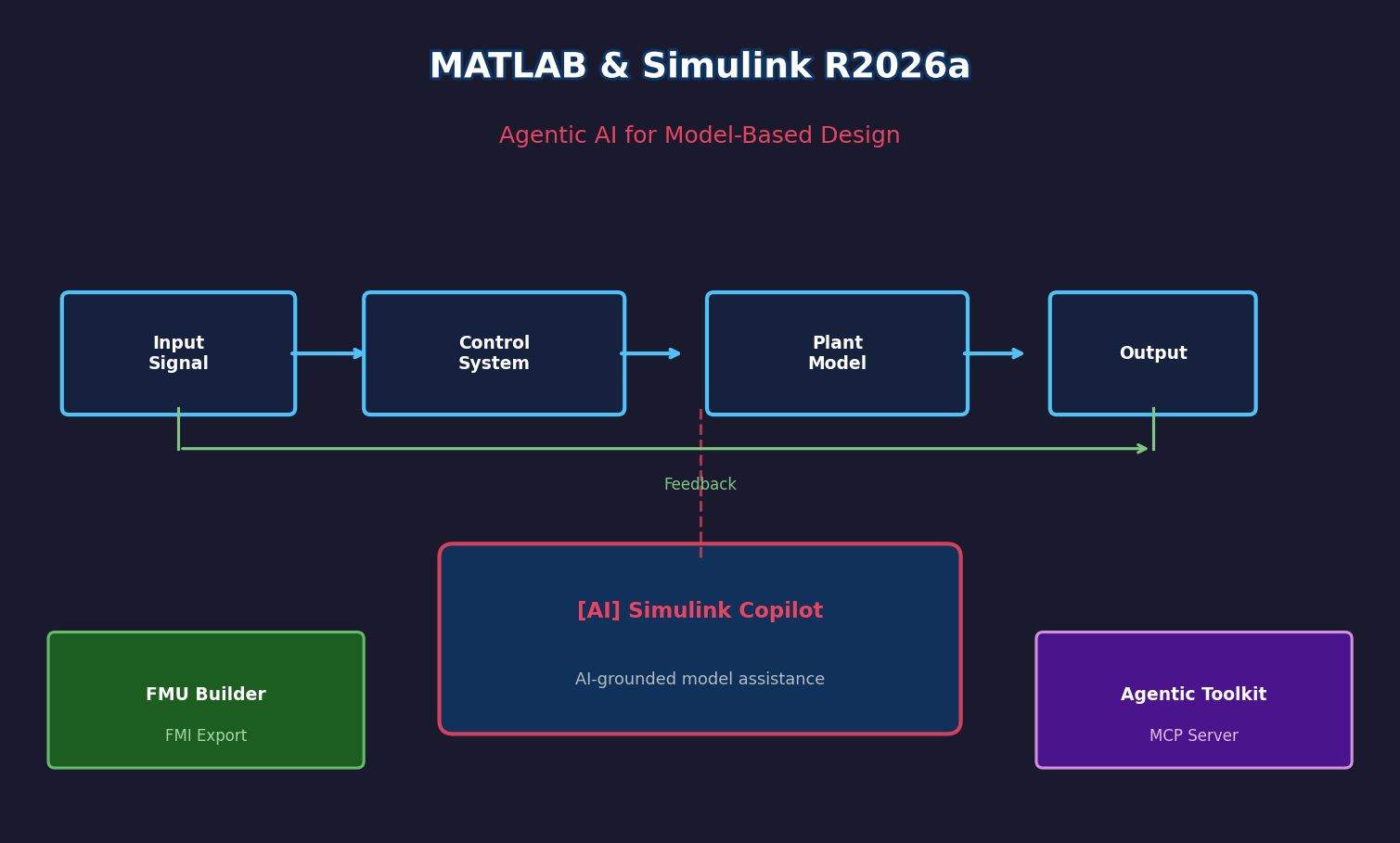
MathWorks Brings Agentic AI to Model-Based Design in MATLAB & Simulink R2026a
MathWorks released MATLAB and Simulink R2026a in April 2026, marking one of the most significant updates to the platform in recent years. The release centers on integrating generative and agentic AI directly into engineering workflows — not as a bolt-on feature, but as a first-class capability embedded within the tools engineers already use for model-based design, embedded code generation, and static analysis.
Simulink Copilot: Context-Aware AI Inside Your Model
The headline feature of R2026a is Simulink Copilot, a generative AI assistant grounded in the user's active model, MathWorks documentation, and internal design processes. Unlike general-purpose chatbots, Simulink Copilot understands the structure of the open model — it can explain subsystem behavior, locate relevant blocks, identify signal flow issues, and suggest remedies without requiring engineers to switch context or manually describe their architecture.
This is a meaningful shift for teams working on complex control systems or multi-domain models, where navigating large block diagrams and tracing signal paths can consume significant time. Simulink Copilot aims to compress that overhead by acting as an always-available domain expert embedded in the design environment.

Agentic Toolkits: Autonomous Agents for MATLAB and Simulink
R2026a goes further than copilot assistance by introducing the MATLAB Agentic Toolkit and Simulink Agentic Toolkit — frameworks that allow external AI coding agents (such as Claude Code or GitHub Copilot) to interact directly with live MATLAB and Simulink sessions via the MATLAB MCP Core Server (Model Context Protocol).
The Simulink Agentic Toolkit exposes a structured set of agent tools:
model_overview/model_read— for navigating model architecture and subsystem hierarchiesmodel_edit— for programmatically adding blocks, wiring signals, and configuring parametersmodel_test— for running Gherkin-style tests via Simulink Test integrationmodel_check— for structural validation and compliance checking
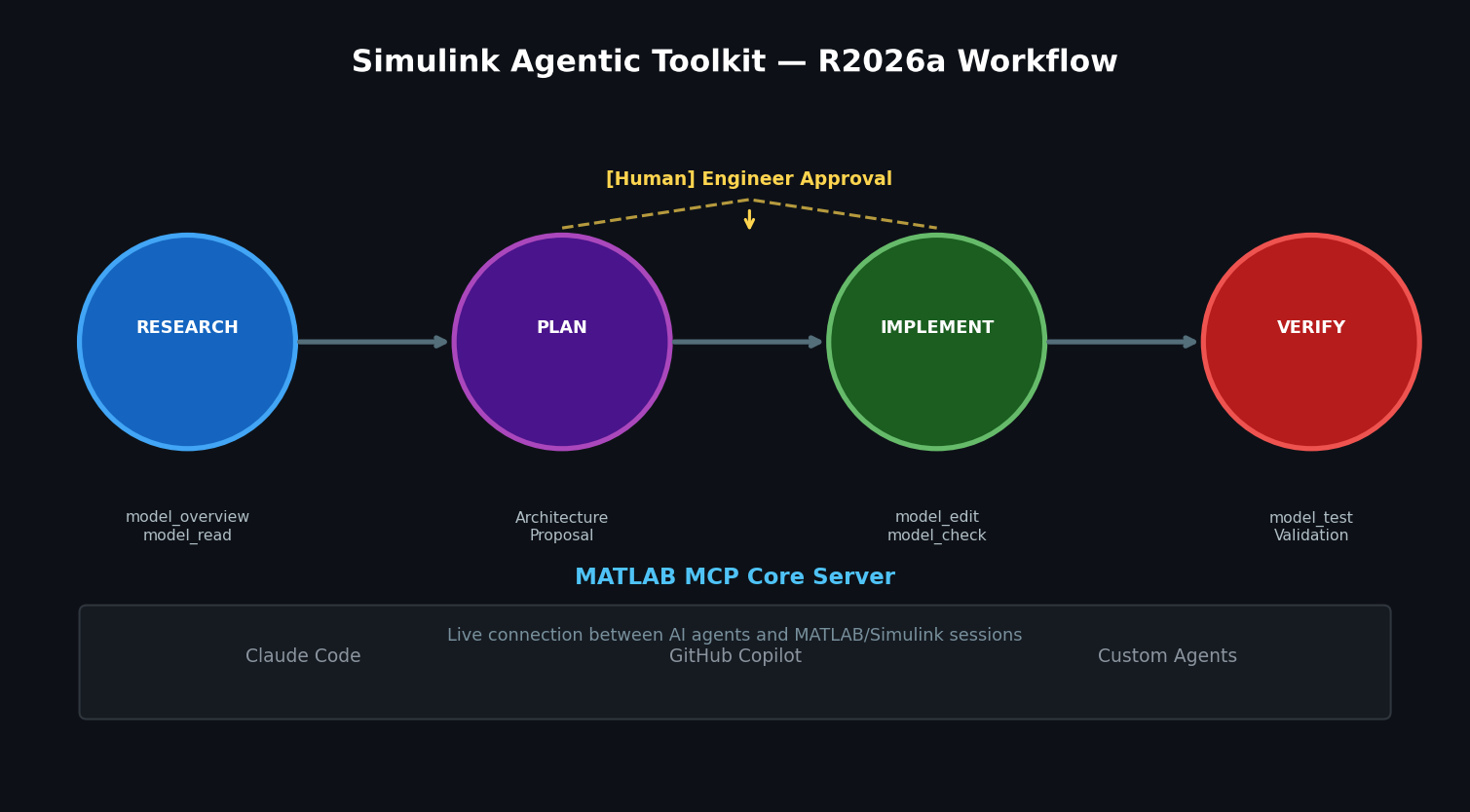
Agents operate within a "Research, Plan, Implement" (RPI) workflow that keeps engineers in control: the agent proposes an architecture or change plan, and the engineer approves before execution proceeds. This design preserves traceability and auditability — critical requirements in safety-critical domains like automotive, aerospace, and medical devices.
Simulink FMU Builder: Streamlined Model Exchange
A practical addition for multi-tool simulation environments is the new Simulink FMU Builder. This product enables engineers to export Simulink models and C/C++ code as standalone Functional Mockup Units (FMUs) — the industry-standard format for model exchange defined by the FMI specification.
Previously, creating FMUs from Simulink required manual configuration steps or third-party tooling. The FMU Builder streamlines this into a dedicated workflow, making it easier to integrate Simulink-based subsystems into co-simulation environments such as Dymola, GT-SUITE, or custom simulation frameworks. This is particularly valuable for system-level simulation where different teams or vendors contribute subsystem models in different tools.
Polyspace Enhancements for Embedded Software Quality
R2026a also advances the Polyspace family with Polyspace Copilot for interpreting static analysis results and Polyspace as You Code, which performs real-time C/C++ rule checking and vulnerability detection as developers write code — including code generated by AI-assisted tools. A new unified desktop application consolidates configuration and results management across the Polyspace product line.
Practical Implications for Simulation Engineers
The R2026a release reflects a broader industry trend: simulation platforms are evolving from passive tools into active collaborators in the engineering process. For teams already invested in the MATLAB/Simulink ecosystem, the agentic toolkits offer a path toward automating repetitive modeling tasks while maintaining the rigor required for production-grade systems.
The FMU Builder addresses a long-standing friction point in heterogeneous simulation environments, and Simulink Copilot's model-grounded approach sets a higher bar for what AI assistance in simulation tools should look like.
R2026a is available now. Full release notes and documentation are available at mathworks.com.