

ModelSim Waveform Analysis: Advanced Debugging Techniques for FPGA Verification
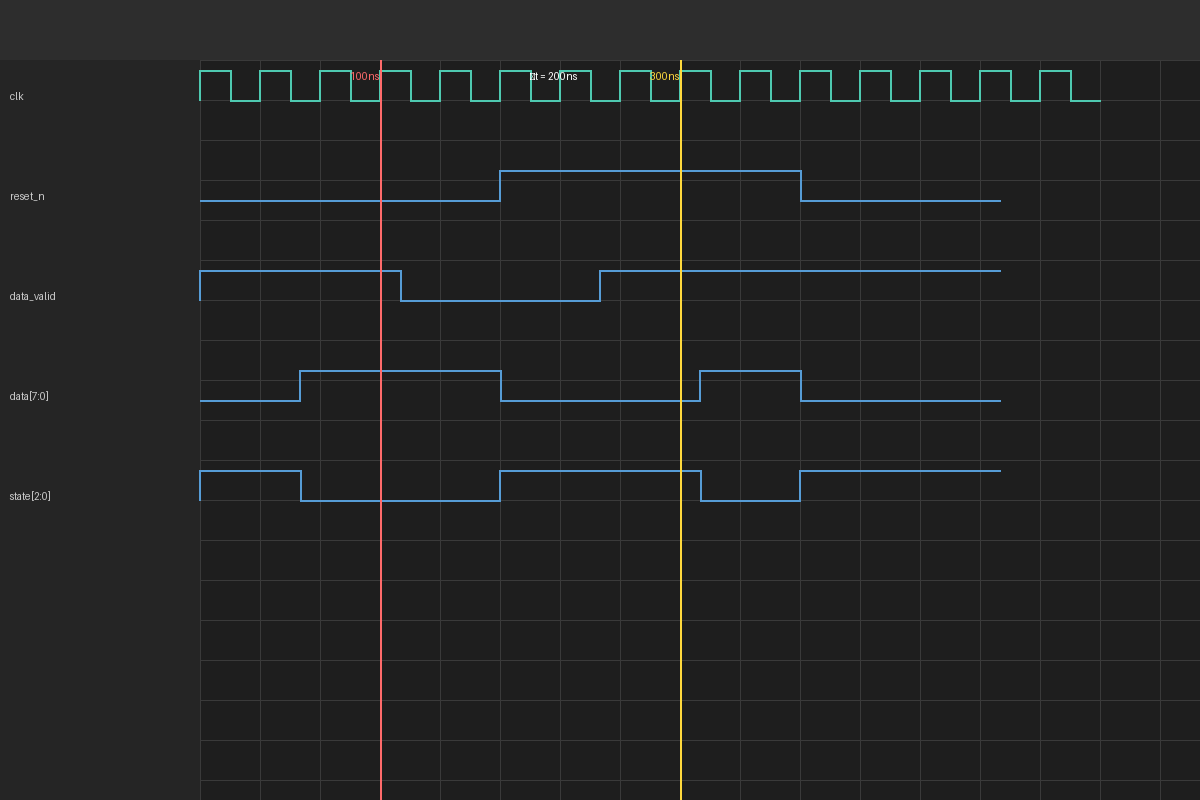
Modern FPGA and ASIC design verification demands sophisticated debugging capabilities that go beyond simple signal observation. ModelSim, a leading HDL simulator from Siemens EDA (formerly Mentor Graphics), provides powerful waveform analysis features that enable engineers to diagnose complex timing issues, protocol violations, and functional bugs in digital designs. This article explores advanced waveform analysis techniques that can dramatically reduce verification time and improve design quality.
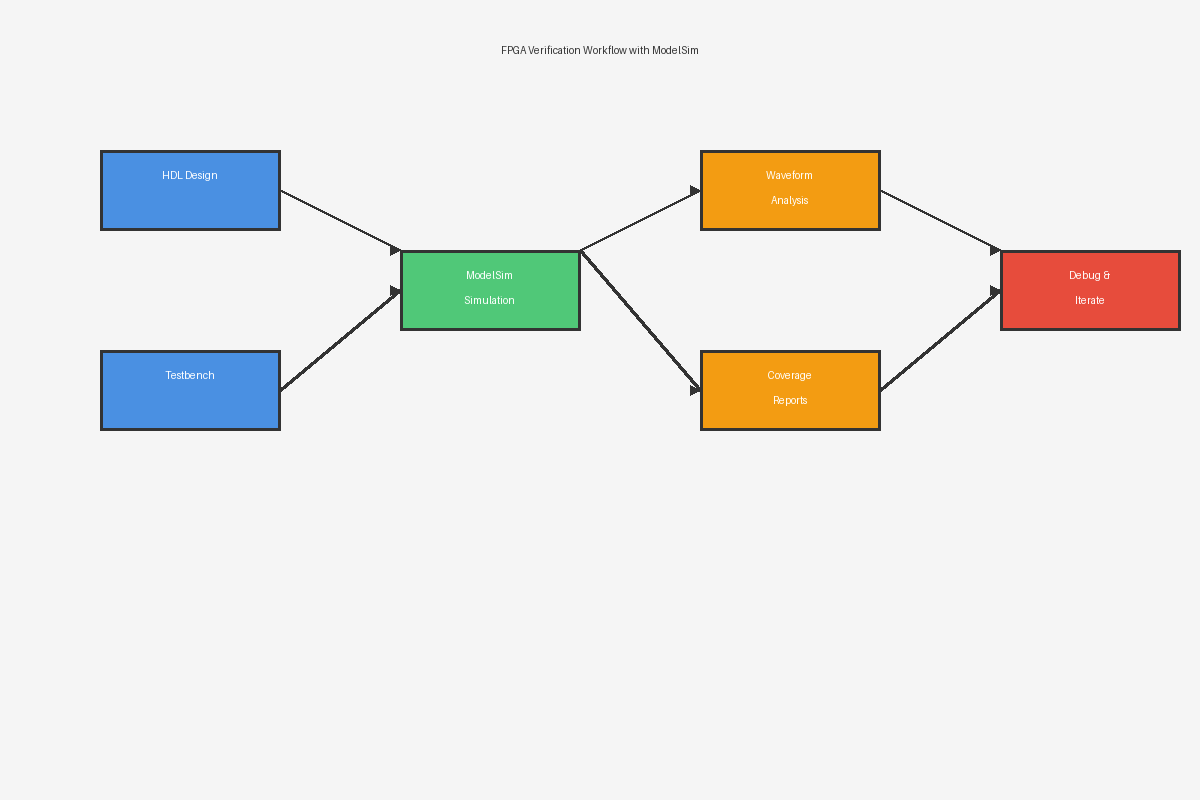
Understanding Waveform Cursors and Measurement Tools
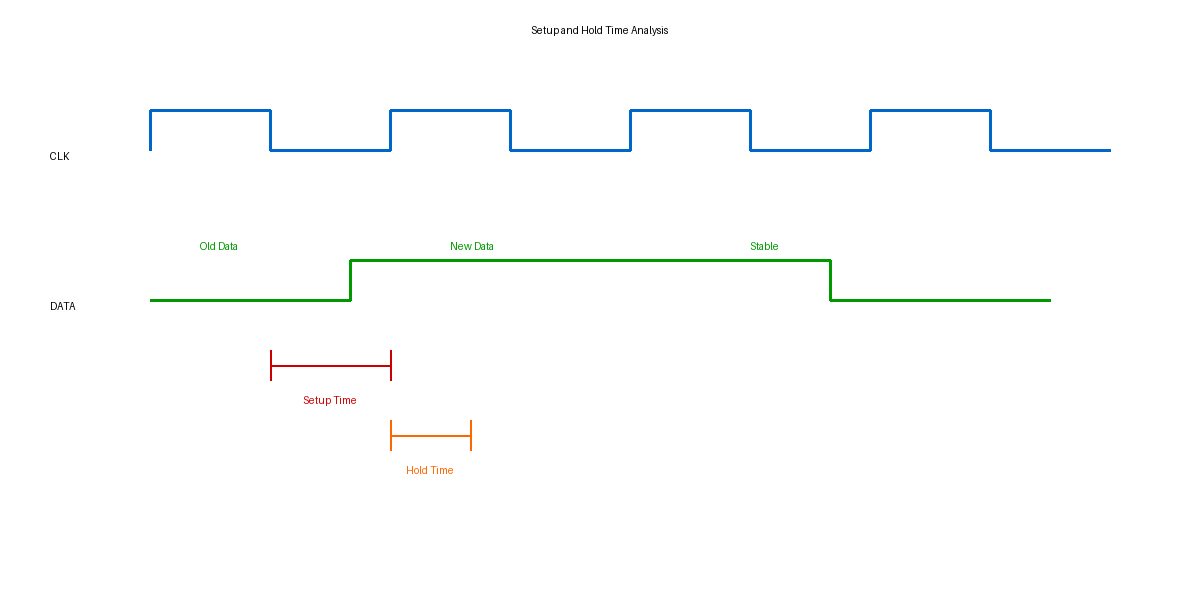
ModelSim's waveform viewer includes precision measurement capabilities essential for timing verification. The dual-cursor system allows engineers to measure exact time intervals between signal transitions, critical for setup and hold time analysis. By placing cursors at specific signal edges, designers can verify that their designs meet timing constraints before committing to silicon.

The delta-time measurement feature proves invaluable when analyzing zero-delay simulation artifacts. In HDL simulation, multiple signal changes can occur at the same simulation time but in different delta cycles. ModelSim's waveform viewer clearly displays these delta-cycle transitions, helping engineers understand race conditions and simulation ordering issues that might not be apparent in the source code.
For protocol verification, the measurement tools can calculate signal frequencies, duty cycles, and pulse widths automatically. This automation is particularly useful when verifying communication interfaces like SPI, I2C, or custom serial protocols where timing parameters must fall within specific ranges.
Virtual Signals and Expression-Based Debugging
One of ModelSim's most powerful features is the ability to create virtual signals using Tcl expressions. Engineers can combine multiple signals using logical, arithmetic, or bitwise operations to create derived signals that represent higher-level design states. For example, when debugging a state machine, you can create a virtual signal that decodes the current state from multiple control signals, making the waveform much easier to interpret.
Virtual signals can also perform real-time calculations on signal values. When verifying a digital filter implementation, you can create virtual signals that compute error metrics by comparing the actual output against expected values. This approach allows you to visualize design correctness directly in the waveform viewer without modifying your testbench.
The expression language supports conditional operations, enabling engineers to create signals that flag specific error conditions. For instance, you might create a virtual signal that goes high whenever a FIFO overflow condition is detected, making it immediately visible in the waveform display even across millions of simulation cycles.
Waveform Comparison and Regression Analysis
ModelSim supports waveform comparison features that are essential for regression testing. After making design changes, engineers can compare new simulation waveforms against golden reference waveforms to quickly identify any behavioral differences. The comparison tool highlights discrepancies in both timing and logic values, making it easy to spot unintended consequences of design modifications.
The waveform comparison can be configured with tolerance settings for analog mixed-signal simulations, where exact value matching is unrealistic due to numerical precision. Engineers can specify acceptable voltage or timing deviations, allowing the comparison tool to focus on significant differences rather than numerical noise.
For complex verification scenarios, ModelSim allows you to save waveform configurations as reusable templates. These templates preserve signal grouping, radix settings, virtual signal definitions, and display preferences. When running regression tests, you can automatically apply these templates to new simulation runs, ensuring consistent analysis across multiple test iterations.
Advanced Triggering and Data Capture
ModelSim's waveform viewer includes sophisticated triggering capabilities that help engineers focus on specific events within long simulation runs. You can configure triggers based on signal values, edges, or complex Boolean conditions. When a trigger condition is met, ModelSim can automatically zoom to that time point, highlight relevant signals, or even pause the simulation for interactive debugging.
The conditional breakpoint feature integrates with waveform analysis, allowing you to stop simulation when specific signal patterns occur. This is particularly useful when debugging intermittent failures that only occur under specific conditions. By combining signal-based triggers with HDL breakpoints, engineers can quickly isolate the root cause of complex bugs.
For performance-critical designs, ModelSim supports selective signal logging to reduce waveform database size. Rather than logging every signal in a large design, engineers can specify exactly which signals to capture and during which time windows. This selective logging can reduce database sizes by orders of magnitude while still capturing all relevant debugging information.
Integration with Verification Methodologies
Modern verification environments using UVM or other methodologies can leverage ModelSim's waveform analysis through its Tcl API. Automated scripts can extract signal values at specific times, perform calculations, and generate pass/fail reports without manual waveform inspection. This automation is crucial for continuous integration environments where simulation results must be analyzed programmatically.
The waveform database format (WLF) can be accessed by external tools for custom analysis. Engineers can write Python or Tcl scripts that parse waveform data to generate coverage metrics, performance statistics, or custom visualizations. This extensibility makes ModelSim suitable for specialized verification tasks beyond standard waveform viewing.
For more information on ModelSim and advanced verification techniques, visit the Siemens EDA verification resources and explore the IEEE P1800 SystemVerilog standard for HDL simulation best practices.
Conclusion
Effective waveform analysis is a critical skill for FPGA and ASIC verification engineers. ModelSim's advanced features—from virtual signals and expression-based debugging to waveform comparison and automated triggering—provide the tools necessary to tackle complex verification challenges. By mastering these techniques, engineers can significantly reduce debug time, improve design quality, and catch subtle bugs before they reach silicon.