

Simulink: Advanced Control Systems Design and Simulation Platform
Overview and Philosophy
Simulink, developed by MathWorks, stands as a cornerstone in the realm of dynamic system modeling, simulation, and analysis. It is a MATLAB-based graphical programming environment that empowers engineers and researchers to design, simulate, and analyze multidomain dynamical systems with remarkable precision and efficiency.
Simulink's intuitive graphical block diagramming interface, coupled with a vast and customizable set of block libraries, makes it an indispensable tool for automatic control, digital signal processing, and model-based design. The tight integration with the broader MATLAB environment allows for seamless interaction, where Simulink can either be driven by MATLAB or scripted from it, providing unparalleled flexibility in complex system development.
As a control systems engineer, the utility of MATLAB and Simulink spans the entire development lifecycle, from initial plant modeling and intricate controller design to deployment via automatic code generation and rigorous system verification.

Core Features and Capabilities
Modeling Environment and System Representation
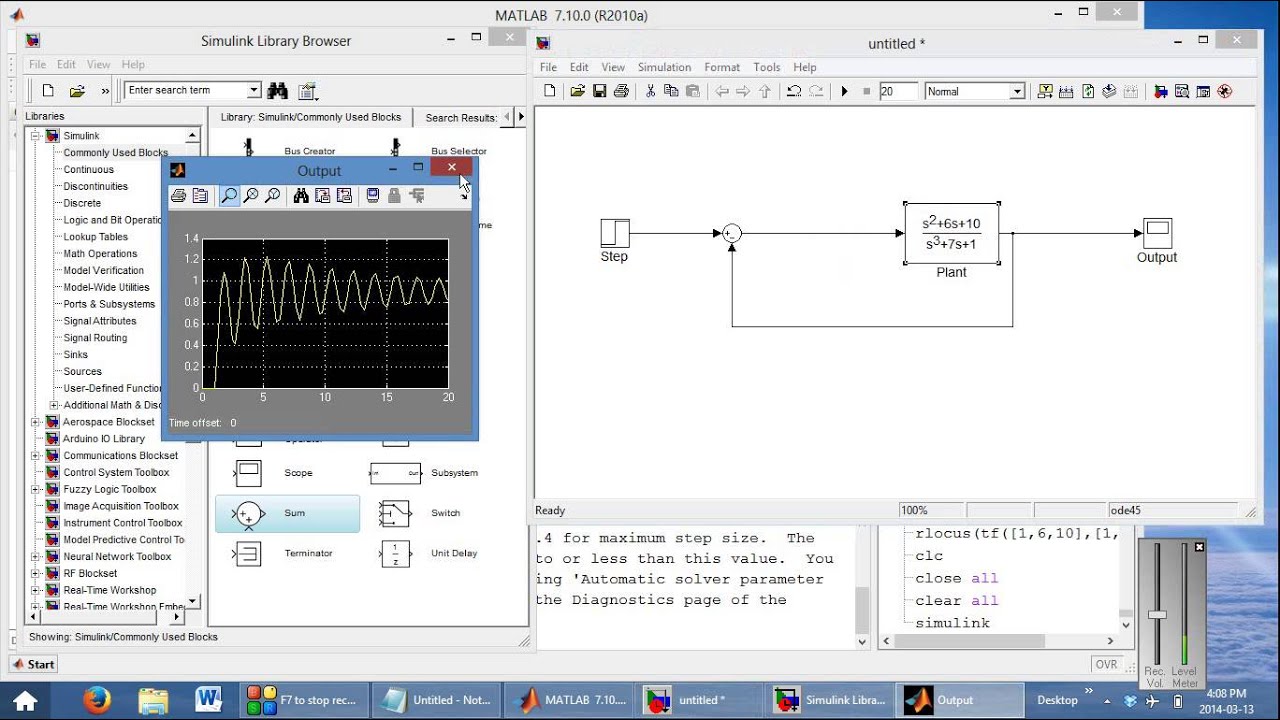
Simulink's primary interface is a graphical block diagramming tool, which provides a visual programming environment for constructing dynamic systems. This visual approach is particularly advantageous for control systems, where complex interactions between various components need to be clearly represented.
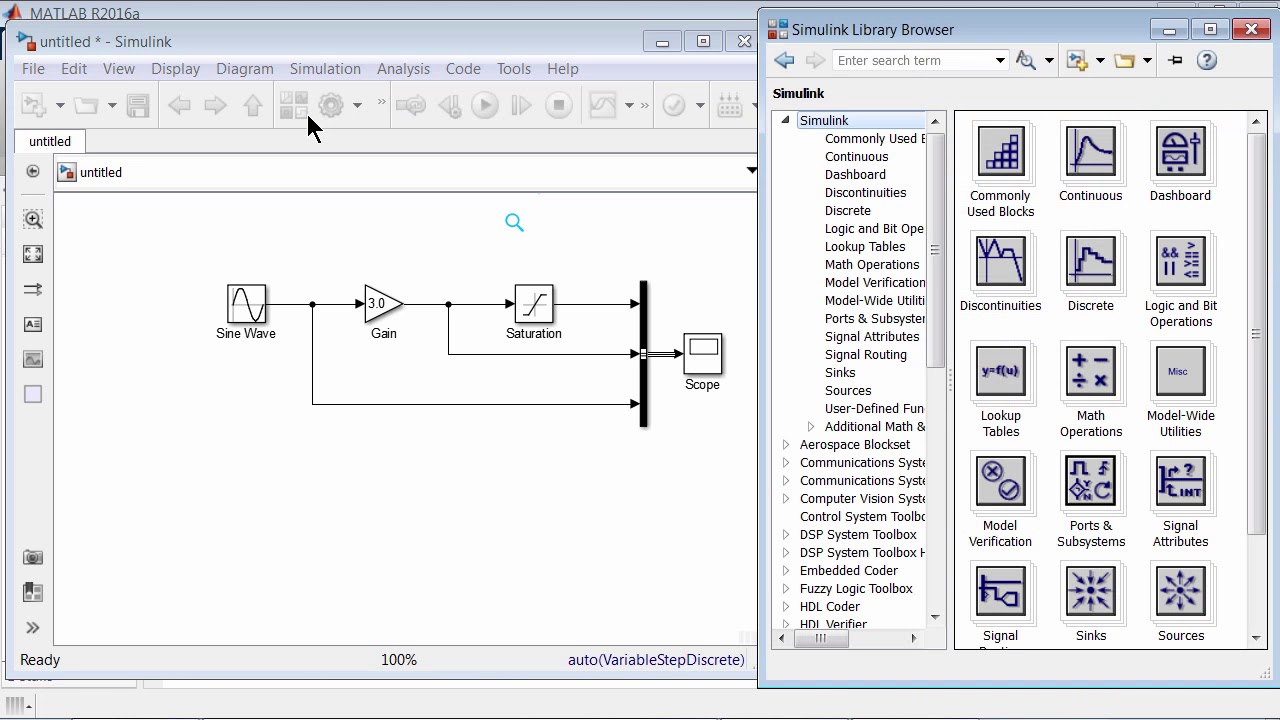
Graphical Block Diagram Interface: Users build models by dragging and dropping pre-built blocks from extensive libraries onto the model window. These blocks represent various system components, such as sensors, actuators, controllers, and plant models. Signal lines are then used to connect these blocks, illustrating the flow of signals between components.
Extensive Block Libraries: Simulink boasts a vast collection of pre-built blocks, covering a wide range of functionalities required for control systems. Beyond these standard blocks, users can also create customizable blocks to represent unique or specialized components.
Scalability and Hierarchy: Control system models in Simulink can range from simple single-input/single-output (SISO) systems to highly complex multi-input/multi-output (MIMO) systems. To manage this complexity and enhance readability, users can organize blocks into subsystems and hierarchical structures.
Simulation Capabilities
At its core, Simulink is a powerful simulation engine designed to compute system responses based on defined model dynamics and input signals.
Configurable Simulation Parameters: Before running a simulation, users must configure various parameters to define the simulation's behavior. This includes specifying the simulation duration (start and stop times), time step sizes, and selecting appropriate solver algorithms. Simulink offers a variety of solver options, including fixed-step and variable-step solvers, to accommodate different types of dynamic systems and simulation accuracy requirements.
Model Initialization: Accurate simulation often requires defining initial conditions for the system, such as the starting states of integrators or initial values of system variables. Users can also specify input signals, which represent external disturbances, setpoints, or reference signals applied to the system during the simulation.
Real-time Simulation Control: Once configured, simulations can be initiated with a simple click. Simulink's engine generates simulation results in real-time, allowing users to monitor progress, pause, resume, and visualize outputs as the simulation runs.
Analysis and Visualization Tools
After a simulation is complete, Simulink provides robust tools for analyzing the results and visualizing system behavior, which are crucial for assessing performance and stability.
Plotting and Visualization: Users can plot various simulation outputs, including time-domain responses (e.g., step responses), frequency responses, and other relevant signals.
Specialized Displays: Simulink offers dedicated tools like scope displays, XY plots, and spectrum analyzers to visualize signals, compare different responses, and extract key performance metrics from the simulation data.
Advanced Features and Techniques
Model Validation and Verification
To ensure the accuracy and reliability of control system models, Simulink provides advanced validation and verification tools. Users can validate models by comparing simulation results against analytical solutions, empirical data, or experimental measurements. Verification tools help analyze model consistency, detect errors or inconsistencies, and perform sensitivity analysis to assess model robustness.
Model Optimization and Parameter Estimation
Simulink includes tools for optimizing control system models and estimating model parameters from experimental data. Optimization algorithms can be used to tune controller parameters, enhance system performance, and minimize control errors. Parameter estimation tools facilitate system identification from input-output data, allowing models to be calibrated to match real-world behavior.
Hardware-in-the-Loop (HIL) Simulation
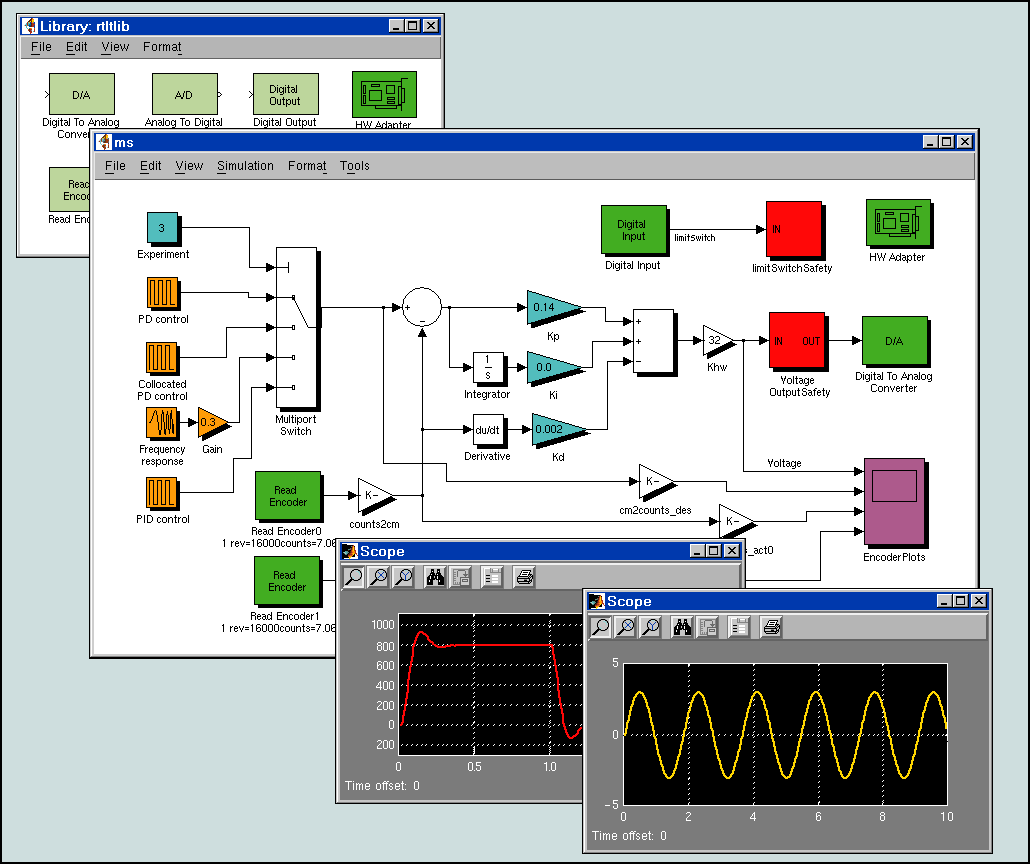
A dedicated capability in Simulink highlights HIL simulation and real-time control as key features. This allows for testing control algorithms on real hardware while the plant model remains in Simulink, bridging the gap between simulation and physical implementation.
Automatic Code Generation
For deployment, Simulink supports automatic code generation, which streamlines the process of moving from model-based design to physical implementation. This is particularly important for safety-critical applications, where adherence to standards like ISO 26262 is crucial.
Applications Across Industries
Simulink's versatility makes it applicable across a broad spectrum of fields, from industrial engineering to academic research. It helps bridge the gap between theoretical control principles and their practical, real-world applications.
Industrial Control Systems
In industrial settings, Simulink is extensively used for modeling and simulating complex control systems, leading to improved efficiency, reliability, and safety.
Automotive Control Systems: Engineers utilize Simulink to design and optimize control algorithms for various automotive applications, such as cruise control systems, engine management, and autonomous driving features.
Aerospace Systems: For aerospace applications, Simulink helps in validating control strategies and analyzing system performance under realistic operating conditions, including flight control systems and navigation algorithms.
Manufacturing Processes: In manufacturing, Simulink aids in designing and optimizing control systems for automated processes, including robotic arm control systems, production line automation, and quality control systems.
HVAC Systems: Temperature control systems for heating, ventilation, and air conditioning (HVAC) are another practical example where Simulink is applied for energy efficiency and comfort optimization.
Multidomain Simulation
Beyond specific applications, Simulink's capability for multidomain simulation means it can model systems involving electrical, electronic, mechanical, pharmacokinetic, video/image processing, and discrete event components, making it suitable for complex interdisciplinary projects.
Educational Use and Research
Simulink is a fundamental tool in academic environments, serving as an interactive platform for teaching, experimentation, and research in control engineering.
Teaching Control Theory: Students can simulate and analyze control systems, explore complex control concepts, and gain hands-on experience in a visual environment.
Laboratory Experiments: It is widely used for conducting laboratory experiments, allowing students to implement and test control algorithms in real-time or simulated environments.
Academic Research: Researchers leverage Simulink for performing academic research, developing innovative control system models, and validating controller designs.
Best Practices for Control Systems Simulation
Model Selection and Design
Start with a Clear Objective: Before building a model, clearly define the system to be simulated, the control objectives, and the expected outcomes.
Modular Design: Organize models into subsystems and hierarchies to manage complexity, improve readability, and facilitate reuse of components. This also helps in segmenting algorithms, which can reduce verification and deployment efforts.
Appropriate Block Selection: Choose the most suitable blocks from Simulink's extensive library for each component of the control system (sensors, actuators, controllers, plant models). Ensure correct block connections to represent signal flow accurately.
Parameter Settings: Pay close attention to proper parameter settings for all blocks. Incorrect parameter settings are a common pitfall that can lead to inaccurate simulation results.
Simulation Configuration and Execution
Solver Selection: Carefully choose the appropriate solver for your system. For continuous-time systems, avoid using fixed-step solvers if variable-step solvers offer better numerical stability and accuracy, as fixed-step solvers can introduce numerical issues.
Initial Conditions and Input Signals: Accurately specify initial conditions and input signals to ensure consistent and reliable simulation results.
Tuning Controllers: Utilize Simulink's built-in tools, such as the PID Tuner, to automatically tune controller parameters based on the system response, which is crucial for achieving desired system performance.
Validation, Verification, and Documentation
Model Validation: Validate your model by comparing simulation results with analytical solutions, empirical data, or experimental measurements to assess accuracy and reliability.
Model Verification: Use Simulink's verification tools to analyze model consistency, detect errors, and perform sensitivity analysis to ensure robustness.
Thorough Documentation: Document your model comprehensively for better understanding, future reference, and collaboration. This includes explanations of blocks, parameters, and overall system logic.
Signal Logging: Implement signal logging to capture and analyze simulation data effectively. This allows for detailed post-simulation analysis and debugging.
Version Control: Integrate Simulink models with version control systems to track changes, facilitate collaboration, and manage different iterations of the design.
Performance and Scalability
Neglecting System Dynamics: A common pitfall is neglecting the underlying system dynamics, which can lead to unrealistic or unstable control designs.
Scaling Simulation Models: For large-scale models, standardize best practices to ensure efficient performance and manageability. This includes optimizing model structure and simulation settings.
Integration and Deployment
Code Generation and Deployment
Simulink's automatic code generation capabilities enable seamless transition from simulation to implementation. Generated code can be deployed to various embedded platforms, real-time systems, and production environments while maintaining the integrity of the original design.
Hardware Integration
The platform supports integration with various hardware platforms, enabling hardware-in-the-loop testing and real-time implementation of control algorithms. This capability is crucial for validating designs before full-scale deployment.
Standards Compliance
For safety-critical applications, Simulink provides tools and workflows that support compliance with industry standards such as ISO 26262 (automotive), DO-178C (aerospace), and IEC 61508 (functional safety).
Conclusion
Simulink stands as an indispensable platform for control systems design and simulation, offering unparalleled capabilities for modeling, analyzing, and deploying complex control algorithms. Its visual programming environment, extensive library of components, and seamless integration with MATLAB make it the preferred choice for engineers across diverse industries.
The platform's ability to support the entire development lifecycle—from initial concept through simulation, validation, and deployment—makes it a cornerstone technology for modern control systems engineering. As systems become increasingly complex and interconnected, Simulink's advanced features and best practices ensure that engineers can meet the challenges of next-generation control applications while maintaining the highest standards of performance, reliability, and safety.
By diligently applying best practices in model development, simulation configuration, and validation, engineers can leverage Simulink to its full potential, developing robust, efficient, and reliable control systems that meet complex real-world demands.
References
- MathWorks Simulink Official Website: https://www.mathworks.com/products/simulink.html
- Simulink Control System Design: https://www.mathworks.com/solutions/control-systems.html
- Model-Based Design with Simulink: https://www.mathworks.com/solutions/model-based-design.html
- Simulink Real-Time: https://www.mathworks.com/products/simulink-real-time.html
- Control System Toolbox: https://www.mathworks.com/products/control.html